
Join EconomySMP on Xbox
Xbox cannot type a server address. You join through a friend bot instead.
Friend bot gamertag
add4survCopy the name, then in Minecraft open Friends, Add Friend and paste it. The name can change, so copy it from this page each time.
What you need first
- Minecraft Bedrock Edition, updated, on Xbox One, Series X or Series S.
- A Microsoft account signed in to Minecraft. It must be allowed to play multiplayer and add friends.
- Xbox online multiplayer follows your Xbox subscription rules. Joining EconomySMP itself is free.
Steps
- Open Minecraft Bedrock Edition and go to the Friends tab.
- Choose Add Friend and search for the gamertag add4surv.
- Add the account. The bot accepts within about 3 minutes.
- Open the Friends tab and join the EconomySMP world.
- You arrive in the Hub. Pick a world and start playing.
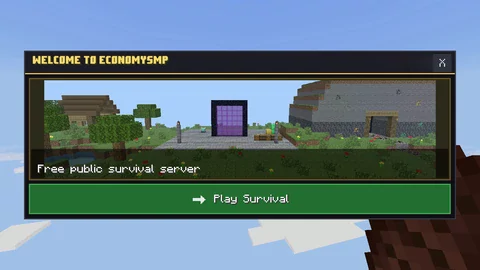
Friend bot not working?
Wait up to 3 minutes, then check the Friends tab again. You can also use the EconomySMP app or ask in our Discord.
Troubleshooting
- Privacy: sign in at account.xbox.com/settings. Under Online Safety, allow Play multiplayer games and Add friends on Xbox Live. Under Privacy, allow chat in multiplayer games. Then sign out of Minecraft and back in.
- Child account: a child account cannot change these settings. A parent in the Microsoft family group must allow multiplayer, adding friends and cross-network play.
- Cross-play: the bot is not on your console, so Xbox must allow you to join cross-network play.
- The bot is not your friend yet. Open Friends and look under your friends, not under pending requests. It accepts within about 3 minutes.
- Wrong name. The bot name can change when a bot is full, so copy the current one from this page. Letters like l, I and 1 look alike on a console keyboard.
- The Friends tab does not show the world. Close Minecraft completely, open it again, and check that you are signed in to the same Microsoft account that sent the request.
- Minecraft is out of date. Update it from your console store and try again.
Why is the EconomySMP world not showing in my Xbox Friends tab?
The bot must have accepted you first. Check that it is under your friends, not pending, then restart Minecraft. If it still does not show, check that your Microsoft account may play multiplayer and join cross-network play at account.xbox.com/settings.
Can a child account join EconomySMP on Xbox?
Only if a parent allows it. The parent must turn on multiplayer, adding friends and cross-network play for the child in the Microsoft family settings. Children cannot change these themselves.
Do I need to download an app to join on Xbox?
No. You only need Minecraft Bedrock. The friend bot works inside the game.
Choose your device
Updated