
Join EconomySMP on iOS and Android
play.esmp.meSteps
- Tap Open in Minecraft below. Minecraft adds the server for you.
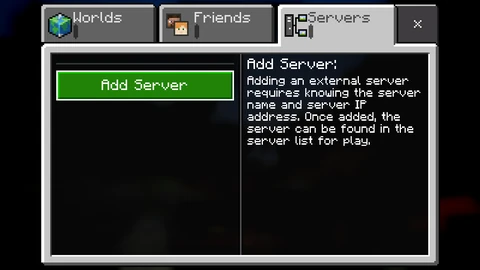
- Or open Play, then the Servers tab, then Add Server.
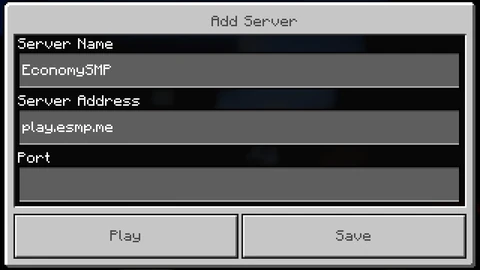
- Enter the name EconomySMP, the address play.esmp.me and the port 19132.
- Save, then tap the server to join.
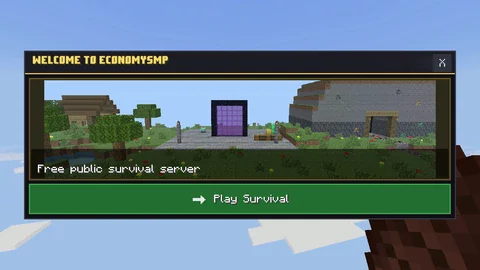
- You arrive in the Hub. Pick a world and start playing.
Cannot connect?
Use the default port 19132 and check that Minecraft is up to date. Ask in our Discord if it still fails.
Choose your device
Updated