How to join a Minecraft server on Xbox
On Xbox you add the EconomySMP friend bot in the Friends tab of Minecraft Bedrock. It accepts within about 3 minutes, and then you join the EconomySMP world from your friends list.
Steps on Xbox
- Open Minecraft Bedrock Edition and go to the Friends tab.
- Choose Add Friend and search for the bot gamertag shown at /join/xbox.
- Add the account and wait. It accepts within about 3 minutes.
- Open the Friends tab and join the EconomySMP world.
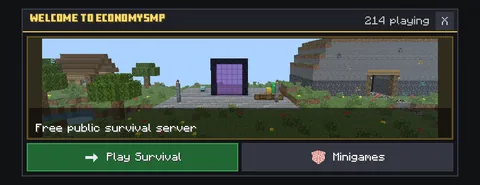
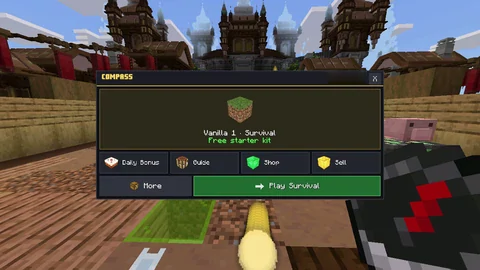
- You arrive in the Hub. Use /warps to pick a world.
Why Xbox is the easiest console
The friend bot is itself an Xbox account, so on Xbox it is a normal Xbox friend. You can add it inside Minecraft or from your Xbox friends list.
Xbox One, Xbox Series X and Xbox Series S all use the same Bedrock steps.
What to do in your first minutes
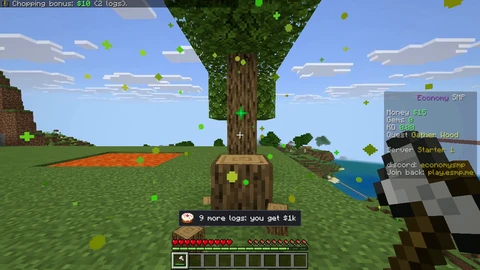
New accounts land on a Starter world with a Starter Path boss bar. The 6 steps pay $750 in total, and each log you chop pays $5. For 10 minutes you are protected: mob, arrow, creeper and fall damage is halved and cannot kill you. Lava, drowning and the void still can.
Chests, spawners and diamond or netherite gear are blocked on Starter worlds. Use /vault to store items until you reach a survival world.
If the friend request does not work
- Wait the full 3 minutes and open the Friends tab again.
- Check the Xbox privacy settings: if your account blocks friend requests from people you do not know, the bot cannot be added. Privacy settings are set at account.xbox.com/settings by an adult: under Online Safety allow Play multiplayer games and Add friends on Xbox Live, and under Privacy allow chat in multiplayer games and cross-network play. Then sign out of Minecraft and back in.
- Check that multiplayer and cross-network play are allowed for your account. Child accounts have them off by default and cannot change them: a parent in the Microsoft family group must.
- The world is not under Friends: check the bot is a friend and not pending, then restart Minecraft.
- Copy the gamertag from /join/xbox exactly.
- Ask in the Discord at discord.gg/economysmp.
Rejoin and reward
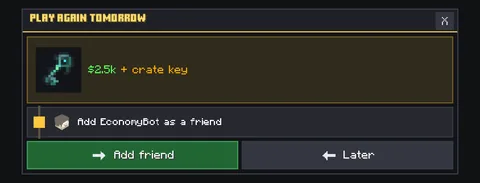
Once the bot is your friend, join from your friends list whenever you like. After 30 minutes of play the Stay Connected prompt pays $2,500, a Merchant Crate Key and 24 hours of VIP.
Questions
Can I play EconomySMP on Xbox Series X and Series S?
Yes. Xbox One, Series X and Series S all join with the friend bot in the Friends tab of Minecraft Bedrock.
Why can't I type play.esmp.me on Xbox?
Minecraft on console has no custom server address field. The friend bot is the way in.
Why is the Minecraft server not showing in my Xbox friends?
The bot must have accepted first. Check it is under your friends, restart Minecraft, and check that your Microsoft account may play multiplayer and join cross-network play at account.xbox.com/settings.
Can a child account join a Minecraft server on Xbox?
Only if a parent allows it. Multiplayer, adding friends and cross-network play must be turned on in the Microsoft family settings.
How long does the bot take to accept?
About 3 minutes. Check the Friends tab again after that.
Is EconomySMP free on Xbox?
Yes. Joining and playing are free. Ranks and Gems are optional.