How to reset your progress on a Minecraft server (/reset on EconomySMP)
To start over on EconomySMP, type /reset. You confirm twice, a staff member approves, and the reset runs as soon as you leave the game. It wipes money, items and stats on every server. Your account, VIP and ranks, cosmetics, pets and Discord link stay. It cannot be undone.
Steps
- Type /reset. The first screen lists exactly what will be wiped. Choose Continue or Cancel.
- Type RESET when asked. Anything else sends nothing and changes nothing.
- Staff review the request. You are told in game, and on Discord if you linked it.
- If approved, the reset runs when you leave the game.
What is wiped and what stays
You can only ask again after a cooldown. /reset shows the date. Only one request can wait at a time.
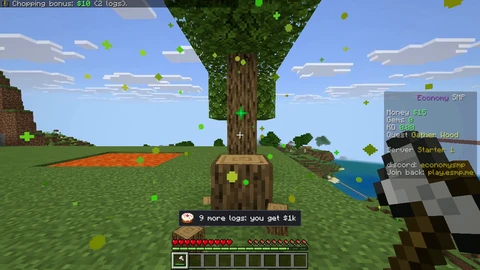
- Wiped: money, Gems, XP, inventory, ender chests, Vault, Mailbox, claim vault, auctions, homes, quests, Battle Pass, Deepcore and stats.
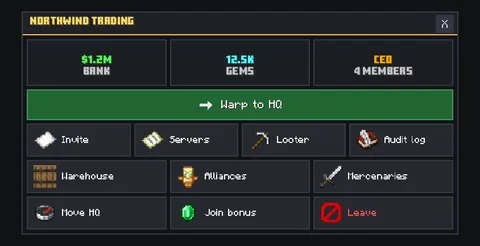
- Corporation: you leave it. If you were CEO it passes on, or it disbands if you were the only member.
- Kept: account, VIP and ranks, cosmetics, pets, Discord link and settings.
Changing your mind
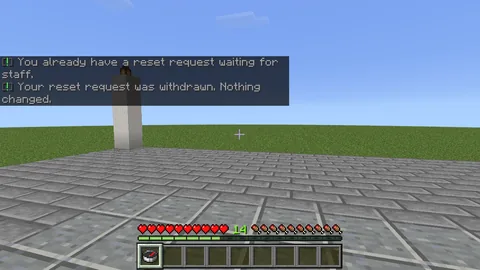
While a request waits, open /reset again and choose Withdraw request. Once staff decide, it cannot be pulled back.
Questions
Can I reset my EconomySMP account?
Yes, with /reset. You confirm twice, staff approve it, and all progress is wiped. VIP, ranks and cosmetics are kept.
Can I cancel a reset request?
Yes, while staff have not decided. Open /reset again and choose Withdraw request.
When does the reset happen?
After staff approve it, as soon as you leave the game.
Do I lose my VIP rank?
No. VIP and ranks, cosmetics, pets, your Discord link and settings are kept.
Is there a world wipe?
/reset wipes your own progress only. It does not reset the world or other players.