How to protect your base on a Minecraft server: Security Computer
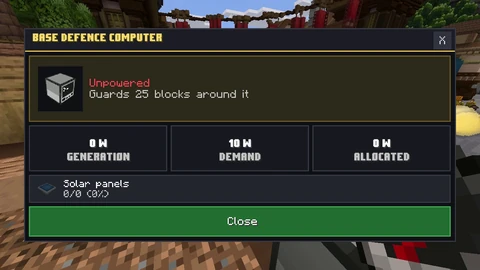
Buy a Base Defence Computer (the Security Computer) for 550 Gems and place it at your base. It protects a 25 block sphere from anyone who is not a member: blocks and chests stay safe. Add Server Racks to grow it to 145 blocks.
Set it up
A single player or a corporation can own one.
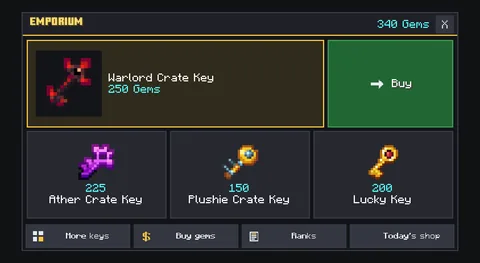
- Buy a Base Defence Computer (550 Gems) in the Emporium and place it at your base.
- Right-click it and turn Power and Protection on.
- Pick Private or Corporation access.
- Turn on Logging to get a Discord alert when a non-member comes in range.
Grow the zone
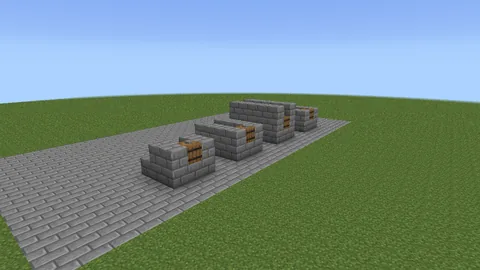
Each Server Rack (400 Gems) set against the Computer adds 20 blocks of radius, up to 6 racks and 145 blocks. Another Computer must be at least 25 blocks away. A Flight Terminal (7,500 Gems) lets members fly inside the zone.
What it does and does not stop
- Members can build and break. Breaking a Server Rack needs Executive rank.
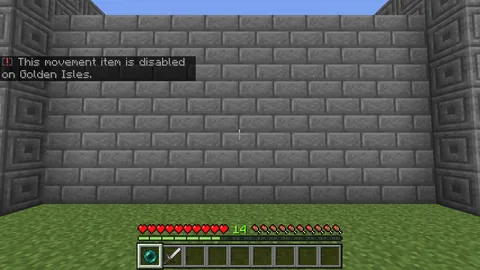
- Ender pearls cannot clip you into walls, and a pearl into a base you are not a member of lands you only in the exact open cell the pearl reached.
- Grappling hooks are blocked in the zone plus 25 blocks.
- It does not cover PvP: players can still be fought inside it.
- It is off in Golden Isles.
- TNT raids still exist. Raid machines are sold in the shop: they fire from outside a claim, and their shells break blocks where they land.
Questions
How much does base protection cost?
A Base Defence Computer costs 550 Gems and a Server Rack costs 400 Gems.
How big is the protected area?
A 25 block sphere, plus 20 blocks per Server Rack, up to 145 blocks.
Can I share my base with friends?
Yes. Members get Member rank and a corporation can own the Computer. Private and Corporation access are set on the block.
Does it stop PvP?
No. PvP is not covered by the zone.